
Controller Technology Museum

Exhibit One · Analog sticks

How the analog stick learned to read your thumb

Five landmark controllers, from rubbing contacts to two generations of magnetic sensing.

01

There is a particular kind of magic in making a game character walk instead of run. You barely lean your thumb. A racing line tightens. A camera eases around a corner. A character approaches a ledge one careful step at a time.

A directional button reports a binary state. An analog stick reports distance and direction hundreds of times a second.

The stick turns thumb position into direction and speed.

Four milestones, then what’s coming

1982Atari 5200 Controller1996Nintendo 64 Controller1997Sony DualShock1998Sega Dreamcast ControllerWhat’s comingGenki Manta

Milestone 1

The stick becomes proportional.

Museum object 01Atari 5200 ControllerPotentiometer joystickEarly home-console analog landmark

What players noticed

Games could receive degrees of movement instead of only eight digital directions.

The mechanism

A little arm scrapes along a track. Where it touches is where you’re aiming, and rubbing slowly wears it out.

Two moving contacts slide along resistive tracks. One measures horizontal position and the other measures vertical position. The console reads the changing electrical values as X and Y coordinates, like two dimmer switches mounted at right angles.

What remained

The original stick did not spring decisively back to center, and moving electrical contacts could become unreliable.

Milestone 2

Motion becomes countable.

Museum object 02Nintendo 64 ControllerOptical encoderMainstream 3D-control landmark

What players noticed

In Super Mario 64, a slight tilt made Mario walk; push farther and he ran. Speed and direction lived in the same gesture.

The mechanism

A light shines across a slotted wheel to a sensor. The stick turns the wheel, the slots chop the beam, and the flashes get counted.

The stick turns two slotted wheels. Light passing through those slots produces pulses at optical sensors. Counting the pulses reveals how far each axis moved. Old ball mice used the same principle.

What remained

The sensor avoided friction, while the plastic gimbal, bowl and gears still wore down. Well-loved sticks became loose.

Milestone 3

Two sticks become a language.

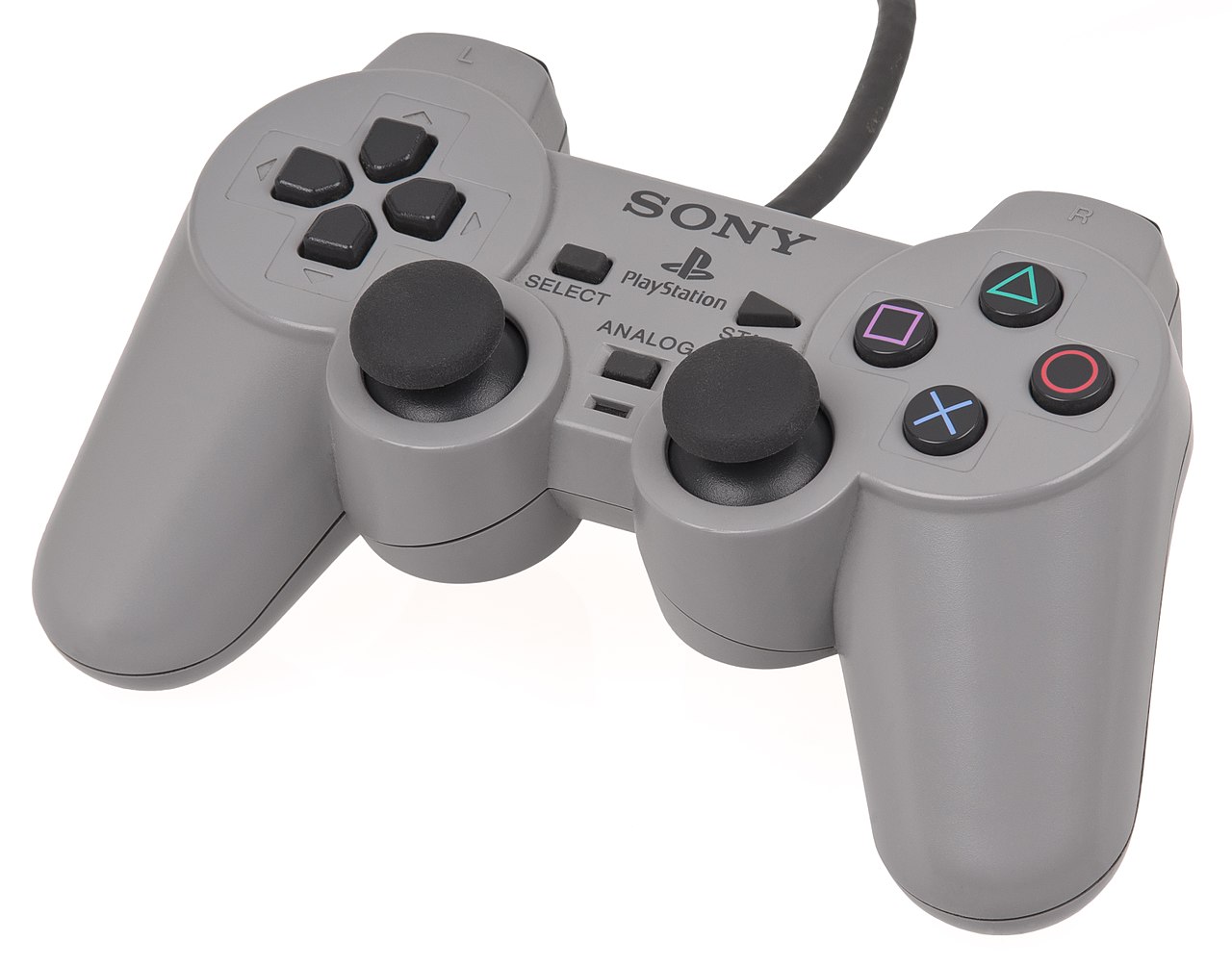
Museum object 03Sony DualShockTwin-stick controlTwin-stick control-language landmark

What players noticed

Ape Escape required the DualShock and built actions around both sticks. The second stick became essential to play.

The mechanism

Two sticks, two jobs: one thumb moves you, the other looks around.

Two thumbsticks provide four continuous axes. Over time, one convention won: the left thumb moves the body while the right moves the camera or aim.

What remained

The control language advanced faster than the common sensing technology beneath it. Potentiometer tracks, springs, calibration and debris could still contribute to unreliable centering.

Milestone 4

The stick becomes contactless.

Museum object 04Sega Dreamcast ControllerHall effect sensingMainstream Hall-effect landmark

What players noticed

Contactless magnetic sensing shipped inside the standard controller included with every Dreamcast, long before Hall effect became a feature printed on gamepad boxes.

The mechanism

A magnet tilts with the stick and the sensor below reads how hard the field pushes down. It is strongest in the middle, so the edges read less evenly.

A magnet moves beneath the stick. Hall elements on the circuit board produce changing electrical signals as the magnetic field shifts. The controller calculates position without a resistive wiper scraping a track.

What remained

Hall sensing removes the wearing electrical contact. Centering, gimbal friction, calibration, dead zones and firmware still depend on the rest of the stick.

Exhibit finale · Float-Tension Adjustable TMR

A stick you tune to your own hand.

Every other stick in this room had its feel decided at the factory.

Museum object 05Genki MantaFloat-Tension Adjustable TMR
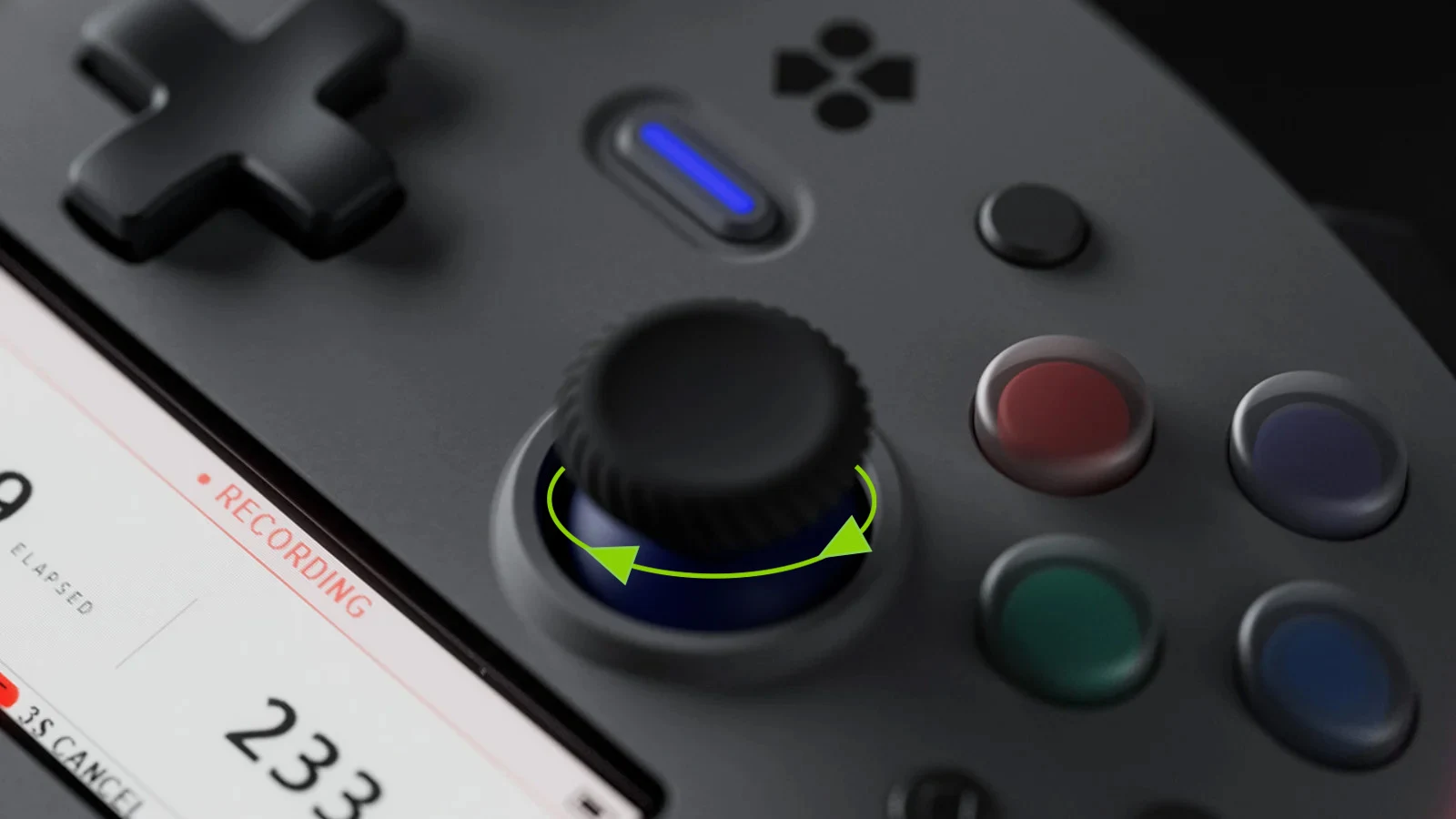
Close view of a Genki Manta joystick with green arrows showing it twisting left and right
Photo: Genki · 2026 development hardware

What you’ll notice

Physical tension and digital response become separate choices: tune the resistance by hand, then use MantaOS to adjust dead zones and response curves for either stick while viewing its input live.

The mechanism

Twist the collar to set how firm the stick feels. Underneath, the sensor reads which direction the magnet points.

Set the tension yourself

Twist the base: light for a long aiming session, firm for flick shots. No tools, no replacement parts.

Nothing rubs

Position is read magnetically, so there is no contact scraping itself smooth over the years.

Even edge to edge

The sensor reads which way the magnet points rather than how hard it pushes, so accuracy holds across the whole sweep.

Exit through the gift shop

Take Manta home

Everything this exhibit looks ahead to ships in one controller. Manta launches on Kickstarter Thursday, August 20 · 7:00 AM PT · 10:00 AM ET · 3:00 PM London · 10:00 PM Singapore. Follow the project and you’ll be notified the moment it, and the early-bird rewards, go live.

Follow Genki Manta on Kickstarter

Post card

Send this room to someone who would get it.

Curator’s sources

Read past the plaque

  1. Atari 5200 Field Service Manual
  2. Nintendo hardware history
  3. N64 optical mechanism patent literature
  4. PlayStation history: DualShock
  5. Sega: Dreamcast controller and 1998 debut
  6. Sega: Dreamcast controller lineage
  7. Dreamcast Hall-effect joystick patent reference
  8. TDK: TMR angle sensors
Continue to exhibit 02Feel