
Controller Technology Museum

Exhibit Three · Programmable control

How players taught controllers new behavior

A third-party playground, from turbo switches to actions arranged over time.

03

Players have always wanted the controller to work a little more like they do. Sometimes the request was simple: press this button faster. Sometimes it was personal: put this action where my hand can reach it.

Much of that experimentation happened outside the platform holders, in arcade accessories, PC software and enthusiast gamepads.

Programmable controllers moved from repeating one press to storing timed behavior.

Four milestones, then what’s coming

1987NES Advantage1996Microsoft SideWinder Game Pad2002Mad Catz Dual Force 220198BitDo SN30 Pro+What’s comingGenki Manta

Milestone 1

One press becomes repetition.

Museum object 01NES AdvantageAdjustable turboAdjustable-turbo landmark

What players noticed

Repeated presses no longer depended entirely on thumb speed.

The mechanism

Hold the button once and the controller keeps pressing it for you. A slider on the front decides how fast the presses repeat.

A timing circuit repeatedly toggles A or B while the player holds the control. A dial changes how quickly those synthetic presses occur.

What remained

Turbo repeated a single input. Reassignment, combinations and sequences came later.

Milestone 2

A physical button changes jobs.

Museum object 02Microsoft SideWinder Game PadSoftware assignmentEarly software-programmable example

What players noticed

The layout was no longer permanently determined by plastic labels.

The mechanism

The button stops meaning whatever the label says. You decide which button does which job, and the controller obeys.

PC software sits between the gamepad and game. It translates a physical input into another command and can store shortcut moves for different games.

What remained

Configuration lived on the computer, and shortcuts remained closer to opaque commands than editable behavior.

Milestone 3

One press becomes a sequence.

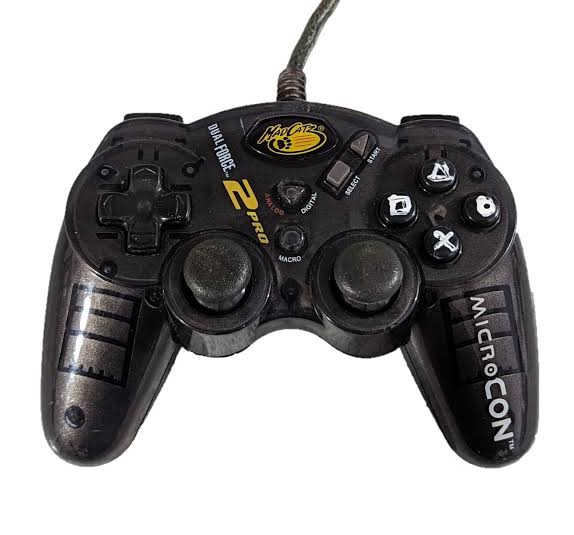
Museum object 03Mad Catz Dual Force 2Record-and-replay macroDocumented record-and-replay example

What players noticed

A practiced fighting-game sequence could be attached to one shoulder control.

The mechanism

Press record, play your combo once, and the controller remembers the whole run. After that a single button performs all of it.

The controller records a run of directions and button inputs into memory, then plays the stored sequence when a dedicated control is pressed.

What remained

The recording was hard to inspect or edit. Changing one step often meant recording the whole sequence again.

Milestone 4

Macro editing reaches the everyday pad.

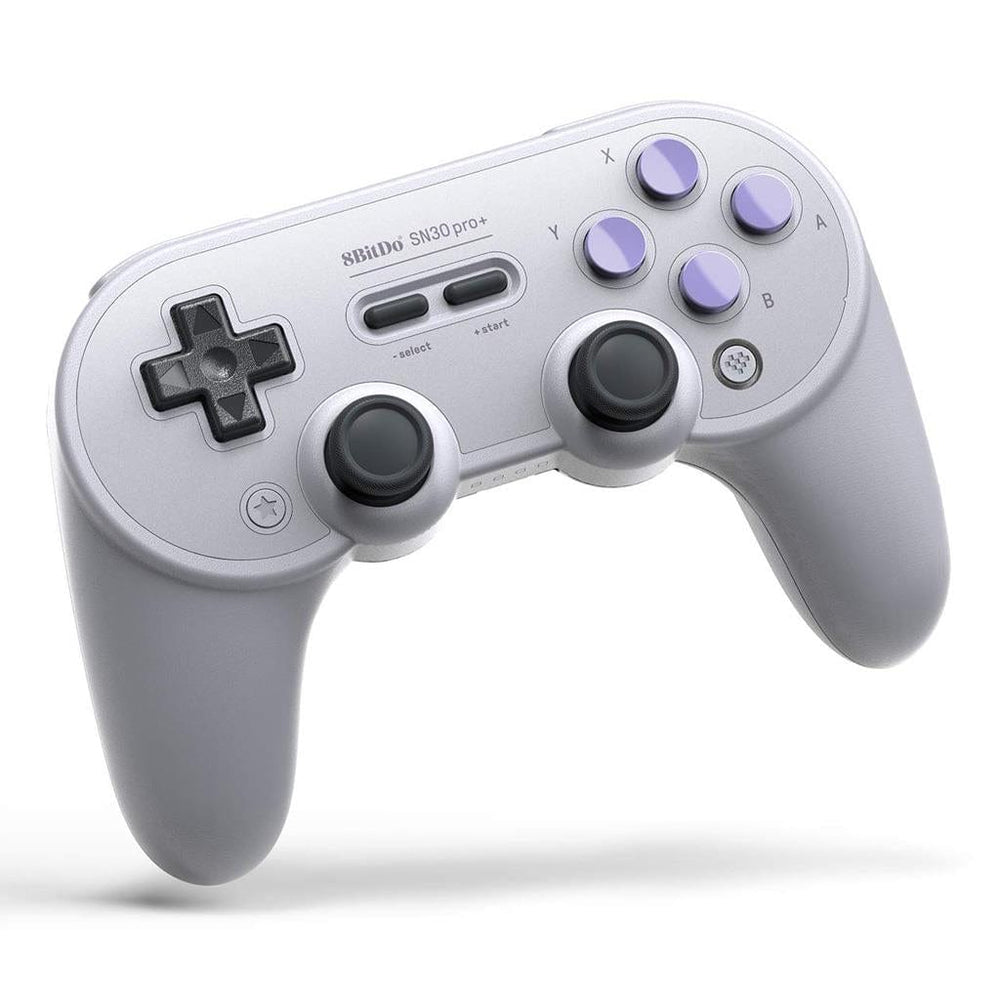
Museum object 048BitDo SN30 Pro+Ultimate Software macrosModern macro-software landmark

What players noticed

Capabilities once associated with specialist PC peripherals arrived in an affordable, familiar console-style controller.

The mechanism

Build the setup on a screen, then send it to the controller. It keeps the profiles itself, so they follow you to any machine.

A visual configuration app lets players remap controls, tune sticks and triggers, and assemble multi-input macros before storing a profile for use.

What remained

A macro was still usually displayed as a list or hidden string. Timing, holds, releases and overlap were not naturally visible.

Exhibit finale · Action Timeline

A macro you can actually see.

Every macro before it was a black box you re-recorded until it happened to work.

Museum object 05Genki MantaAction Timeline
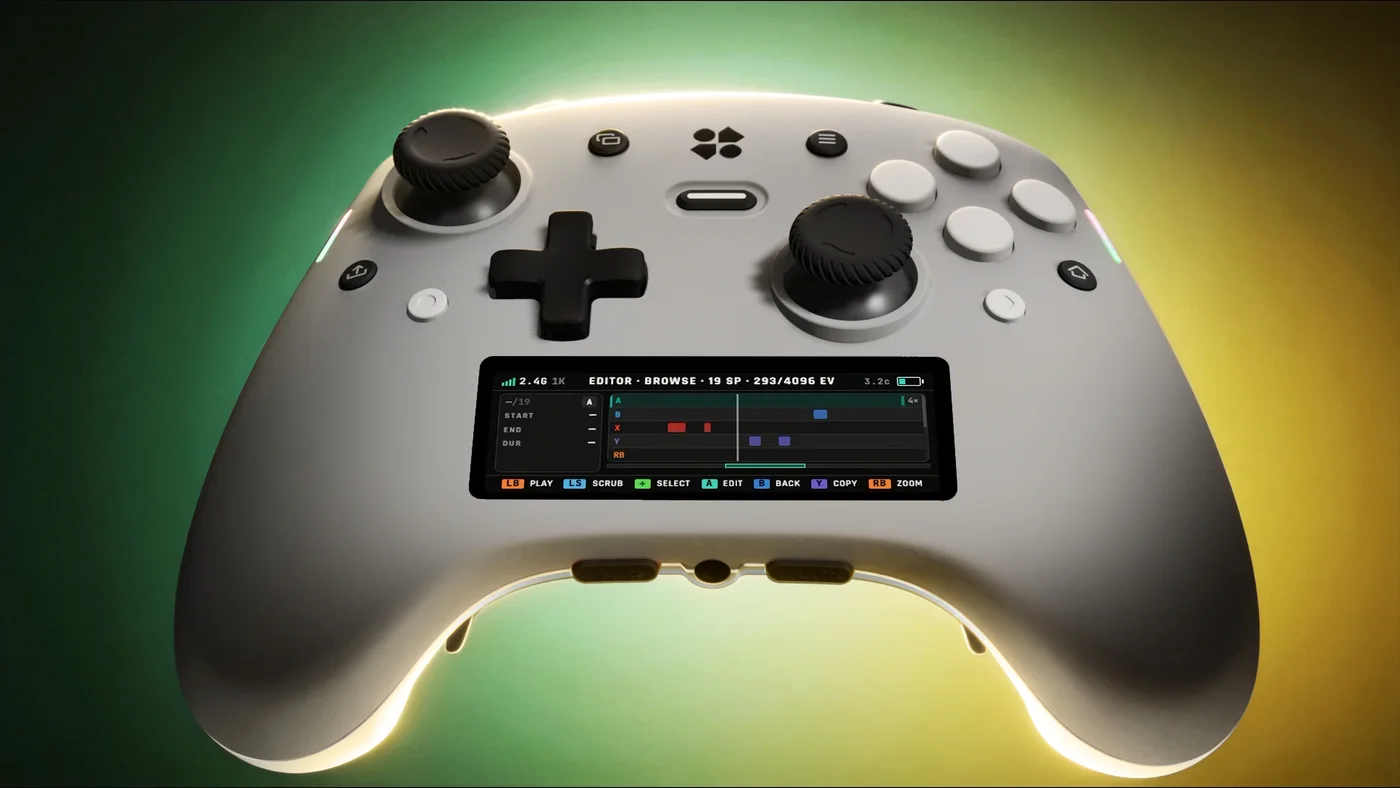
Close view of the Genki Manta screen showing the Action Timeline, with recorded inputs laid out as coloured blocks on separate tracks
Photo: Genki · 2026 development hardware

What you’ll notice

A recording becomes editable choreography. Set playback speed and looping, name it and assign it to any of six additional programmable controls; Manta is designed to store up to 24 macros onboard.

The mechanism

The same recording, but you can see it. Buttons, stick and trigger land on their own rows, so you fix one part instead of redoing it.

Record by playing

Press the Macro Record button, play the sequence, press again to stop.

Edit it like a timeline

Buttons, stick paths, trigger pressure and pauses land on separate tracks, trimmed as fine as 2 ms.

Travels with the controller

Up to 24 macros are stored onboard, not in software on one machine.

Exit through the gift shop

Take Manta home

Everything this exhibit looks ahead to ships in one controller. Manta launches on Kickstarter Thursday, August 20 · 7:00 AM PT · 10:00 AM ET · 3:00 PM London · 10:00 PM Singapore. Follow the project and you’ll be notified the moment it, and the early-bird rewards, go live.

Follow Genki Manta on Kickstarter

Post card

Send this room to someone who would get it.

Curator’s sources

Read past the plaque

  1. NES Advantage manual
  2. Microsoft SideWinder announcement
  3. 8BitDo SN30 Pro+ support
  4. Steam Input documentation
Continue to exhibit 04Pull